Cloud billing & usage
Page summary:Strapi Cloud offers three plans (Starter, Pro, and Business) with usage-based pricing that varies by API requests, asset storage, and bandwidth, plus overages charged monthly; projects may be suspended for unpaid invoices or plan violations.
This page contains general information related to the usage and billing of your Strapi Cloud account and projects.
Strapi Cloud offers 3 plans: Starter, Pro, and Business (see Pricing page). The table below summarizes Strapi Cloud usage-based pricing plans, for general features and usage:
| Feature | Starter | Pro | Business |
|---|---|---|---|
| Database Entries | Unlimited* | Unlimited* | Unlimited* |
| Asset Storage | 50GB | 250GB | 1,000GB |
| Asset Bandwidth (per month) | 50GB | 500GB | 1,000GB |
| API Requests (per month) | 100,000 | 1,000,000 | 10,000,000 |
| Backups | N/A | Weekly | Daily |
| Custom domains | Included | Included | Included |
| Environments | N/A | 0 included (up to 99 extra) | 1 included (up to 99 extra) |
| Emails (per month) | Unlimited* | Unlimited* | Unlimited* |
- General features & usage:
- Database entries are the number of entries in your database.
- Asset storage is the amount of storage used by your assets.
- Asset bandwidth is the amount of bandwidth used by your assets.
- API requests are the number of requests made to your APIs. This includes requests to the GraphQL and REST APIs, excluding requests for file and media assets counted towards CDN bandwidth and storage. All API requests are counted towards your monthly usage, regardless of the response type.
- Cloud specific feature:
- Backups refers to the automatic backups of Strapi Cloud projects (see Backups documentation for more information on the feature).
- Custom domains refer to the ability to define a custom domain for your Strapi Cloud (see Custom domains).
- Environments refers to the number of environments included in the plan on top of the default production environment (see Environments documentation for more information on the feature).
Environments management
Environments are isolated instances of your Strapi Cloud project. All projects have a default production environment, but other additional environments can be configured for projects on a Pro or Business plan, from the Environments tab of the project settings (see Environments). There is no limit to the number of additional environments that can be configured for a Strapi Cloud project.
The usage limits of additional environments are the same as for the project's production environment (e.g. an additional environment on the Pro plan will be limited at 250GB for asset storage, and overages will be charged the same way as for the production environment). Note however that the asset bandwidth and API calls are project-based, not environment-based, so these usage limits do not change even with additional environments.
Billing
Billing is based on the usage of your Strapi Cloud projects. Project plans and addons are either billed monthly or yearly, depending on your billing cycle, while overages are billed monthly. You can view your billing information in the Billing & Invoices tab of your project settings.
Taxes
For billing addresses in the US, UK, Canada, India, and EU, local taxes may be added to your invoices. Tax amounts are calculated based on your billing address and VAT/Tax ID status, and are displayed during checkout and on invoices.
You can add or update your VAT/Tax ID from your Account Billing settings.
Overages
If you exceed the limits of your plan for API Requests, Asset Bandwidth, or Asset Storage, you will be charged for the corresponding overages.
For example, if you exceed the 500GB limit in asset bandwidth of the Pro plan, you will be charged for the excess bandwidth at the end of the current billing period or on project deletion. Overages are not prorated and are charged in full.
Overages are charged monthly, according to the following rates:
| Feature | Rate |
|---|---|
| API Requests | $1.50 / 25k requests |
| Asset Bandwidth | $30.00 / 100GB |
| Asset Storage | $0.60 / GB per month |
Project suspension
Projects may end up in a Suspended state for various reasons, including unpaid invoices or violating Strapi Cloud's terms of service.
If your project is suspended, you will no longer be able to access the Strapi admin panel, nor trigger new deployments. A banner will appear in your project's dashboard, indicating the cause of the suspension. You will also be notified by email.
Project suspension due to billing issues
If you have unpaid invoices, the subscription of your project will automatically be canceled and the project suspended.
To reactivate your project subscription:
- Click the Pay now button in the project banner, or in Settings > Billing & Invoices
- Pay your overdue invoice(s) on the external payment page
- Wait up to 1 minute for your project to reactivate
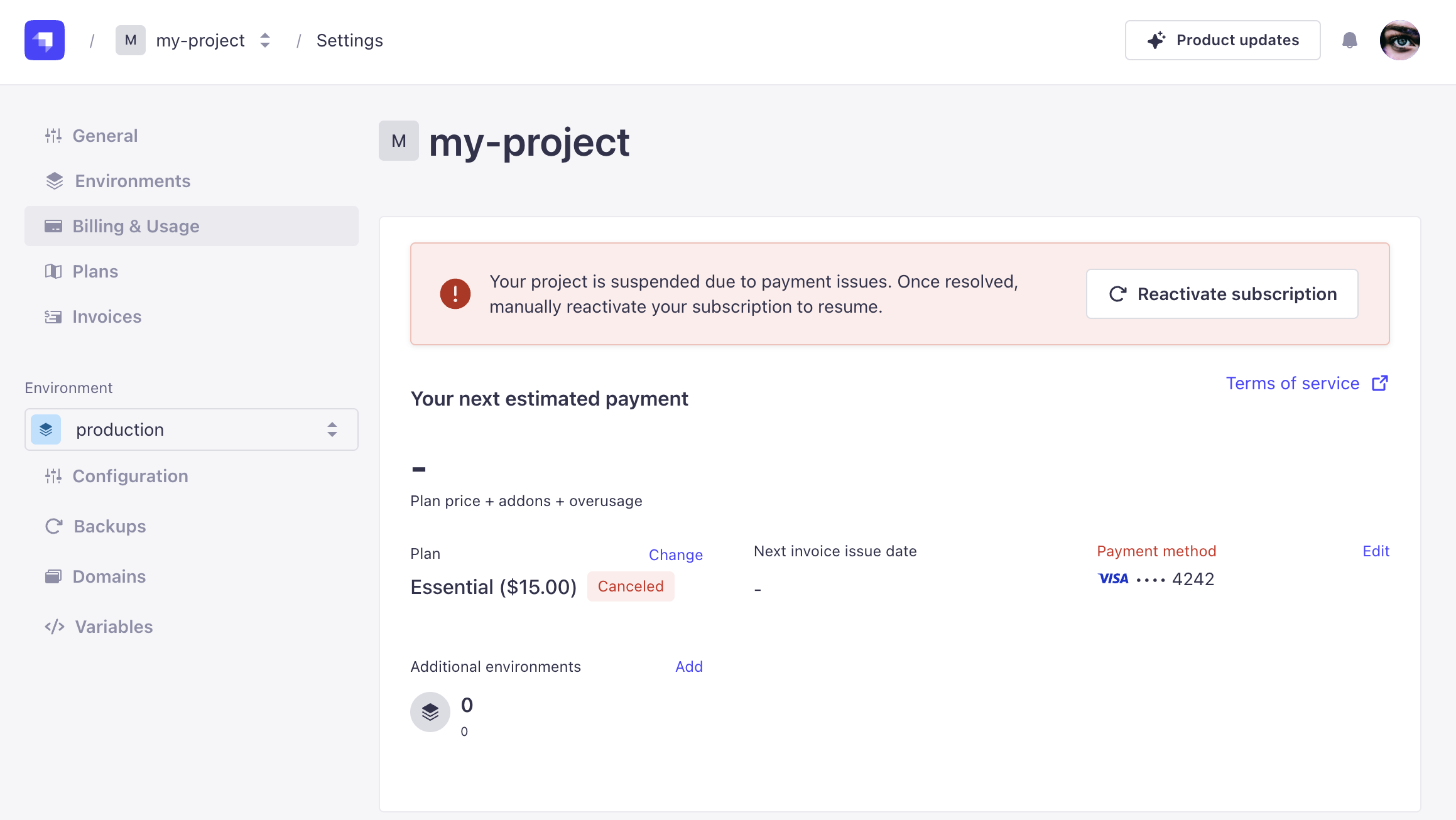
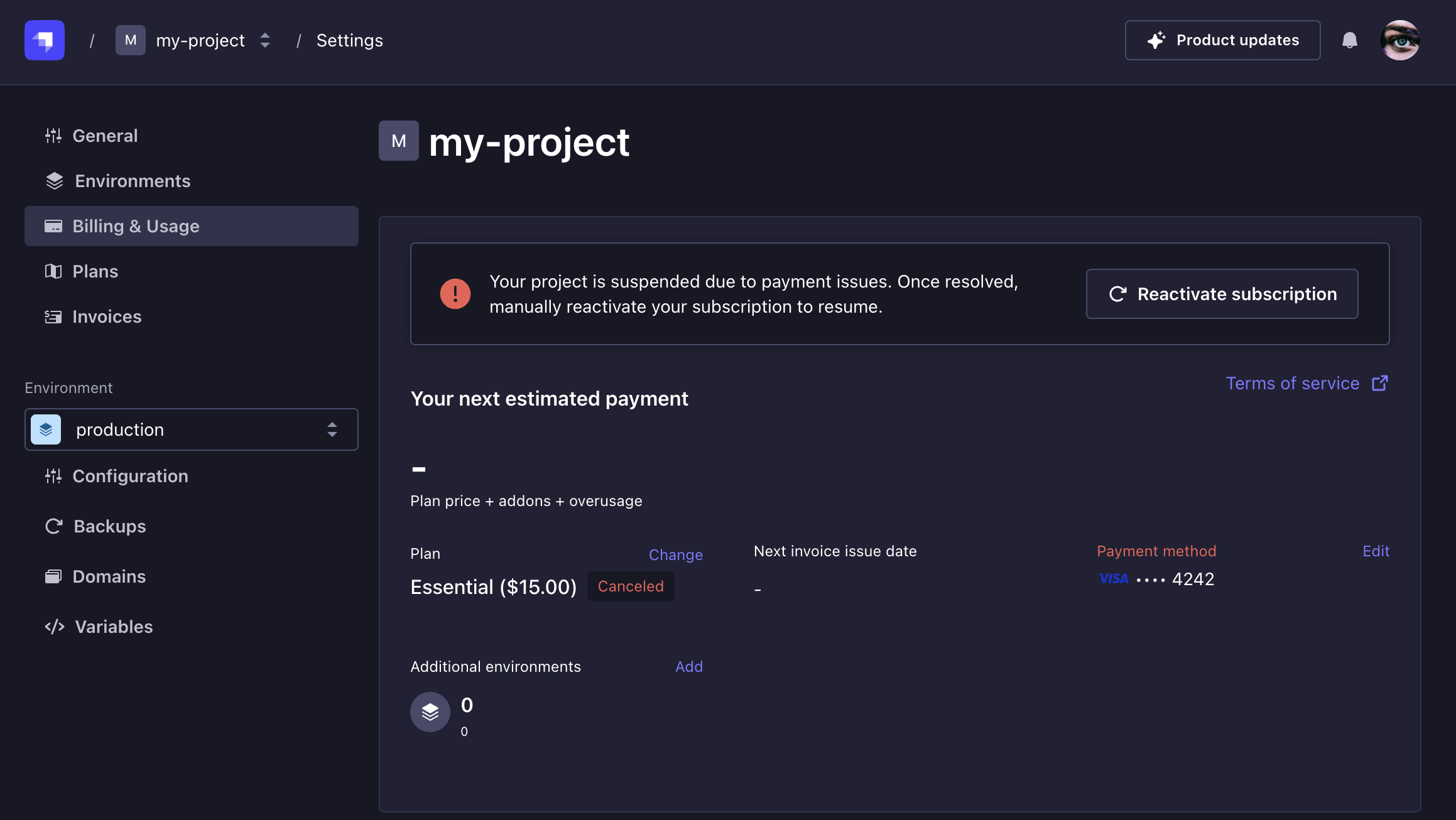
If you do not resolve the issue within 30 days, your suspended project will be deleted and all its data will be permanently lost.
Project suspension for other reasons
If your project was suspended for reasons other than unpaid invoice leading to subscription cancellation, you may not have the possibility to reactivate your project yourself. You should receive an email with instructions on how to resolve the issue. If you do not receive the email notification, please contact the Strapi Support platform.
Subscription cancellation
If you want to cancel your Strapi Cloud subscription, you have 2 options:
- either delete your project (see Deleting Strapi Cloud project documentation),
- or completely delete your account (see Deleting Strapi Cloud account documentation).